Brikito Console.
One place to run every project. Chat, Brik AI, reports, cameras and mail all live here, on the same people, records and approvals.
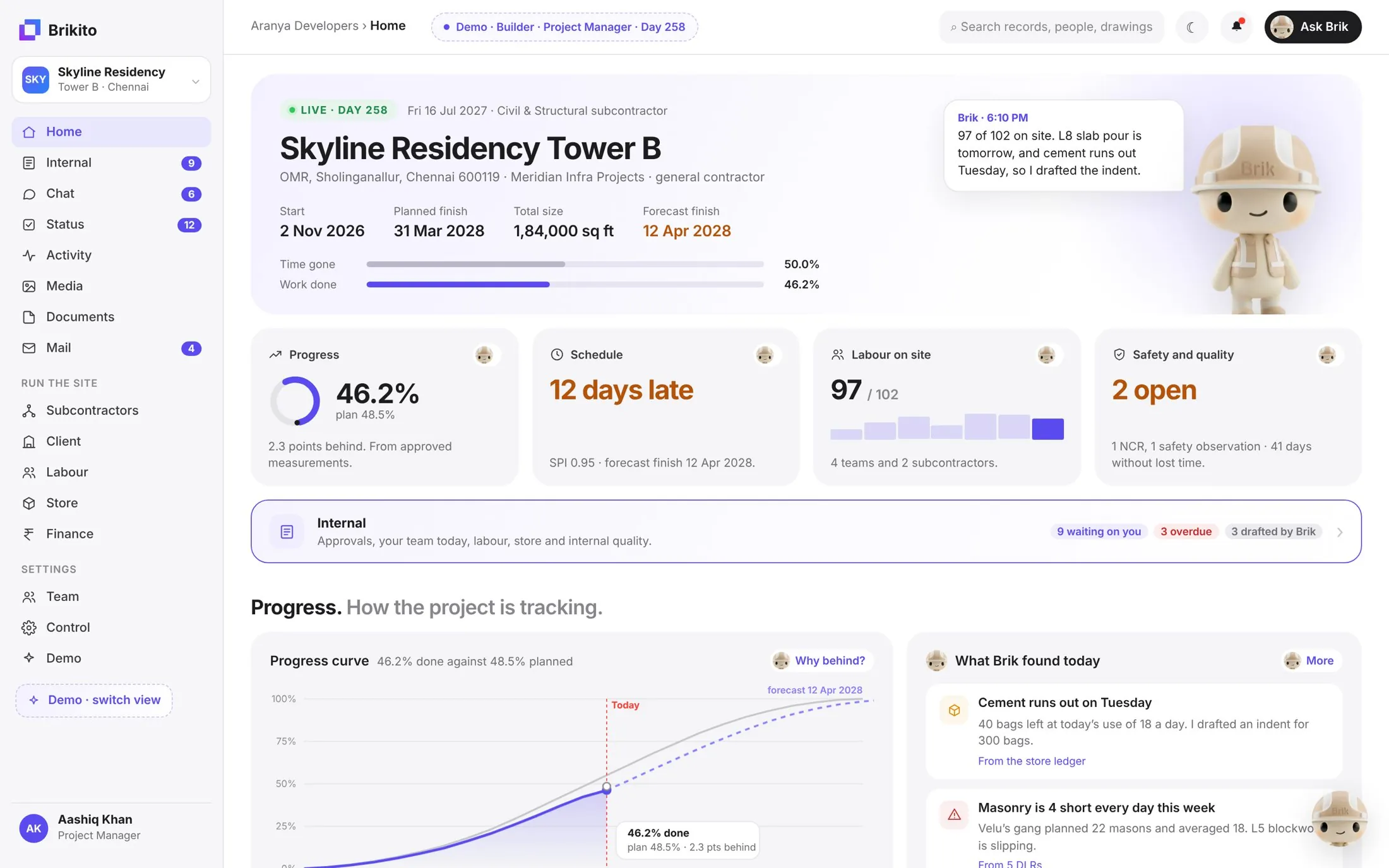
The base platform
Every Brikito product sits on the Console.
Sign in once. Every product shares the same projects, people, permissions and records, so nothing is typed twice and nothing gets lost between apps.
All-in-one
Everything the project needs, in one sidebar.
Fourteen workspaces, each one fed by the site chat and kept up to date by Brik.
The project at a glance: progress, schedule, labour, safety, and what Brik found today.
Approvals, your team today, labour, store and quality, with what’s waiting on you.
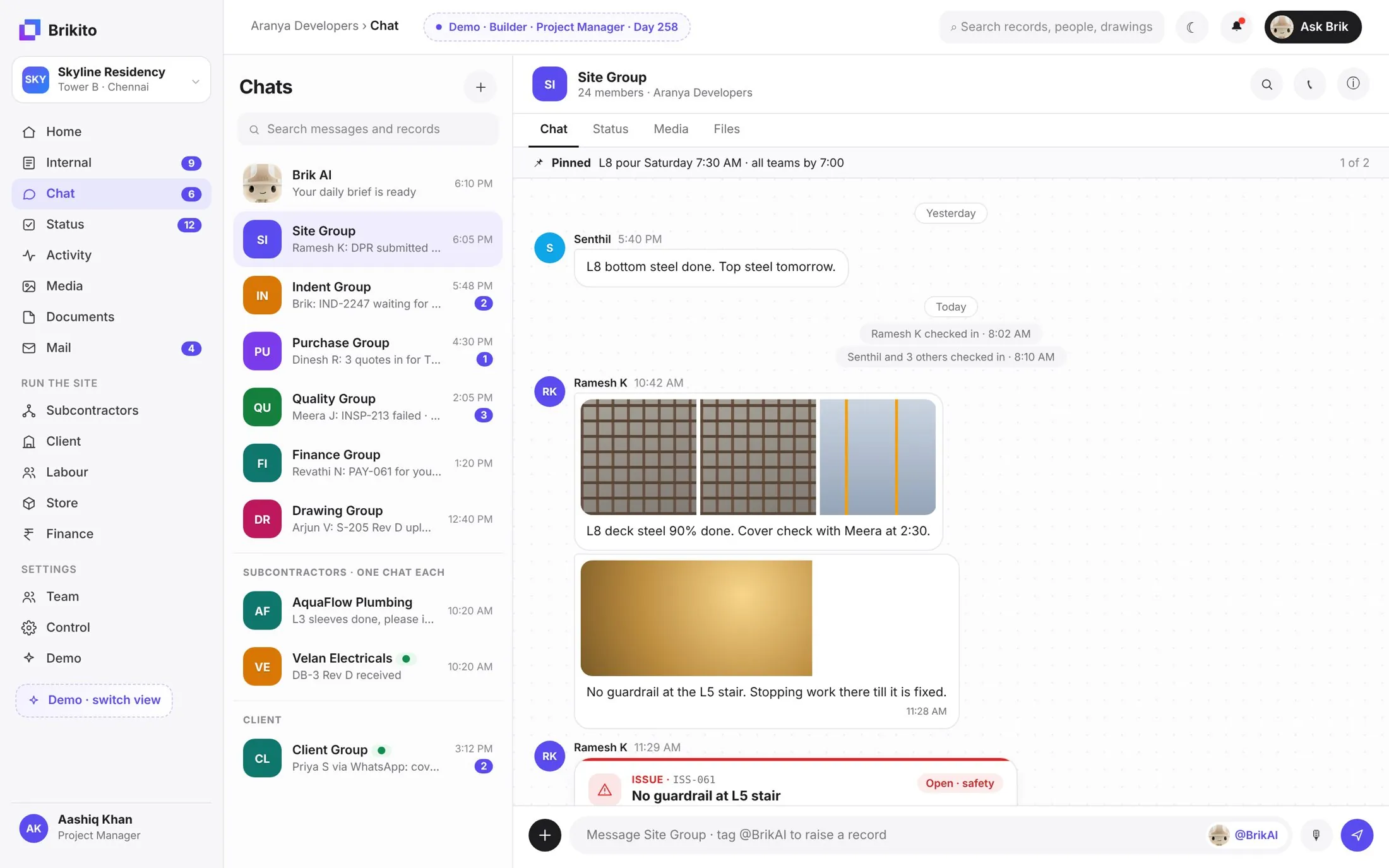
Site, indent, purchase, quality and drawing groups, one chat per subcontractor, and Brik.
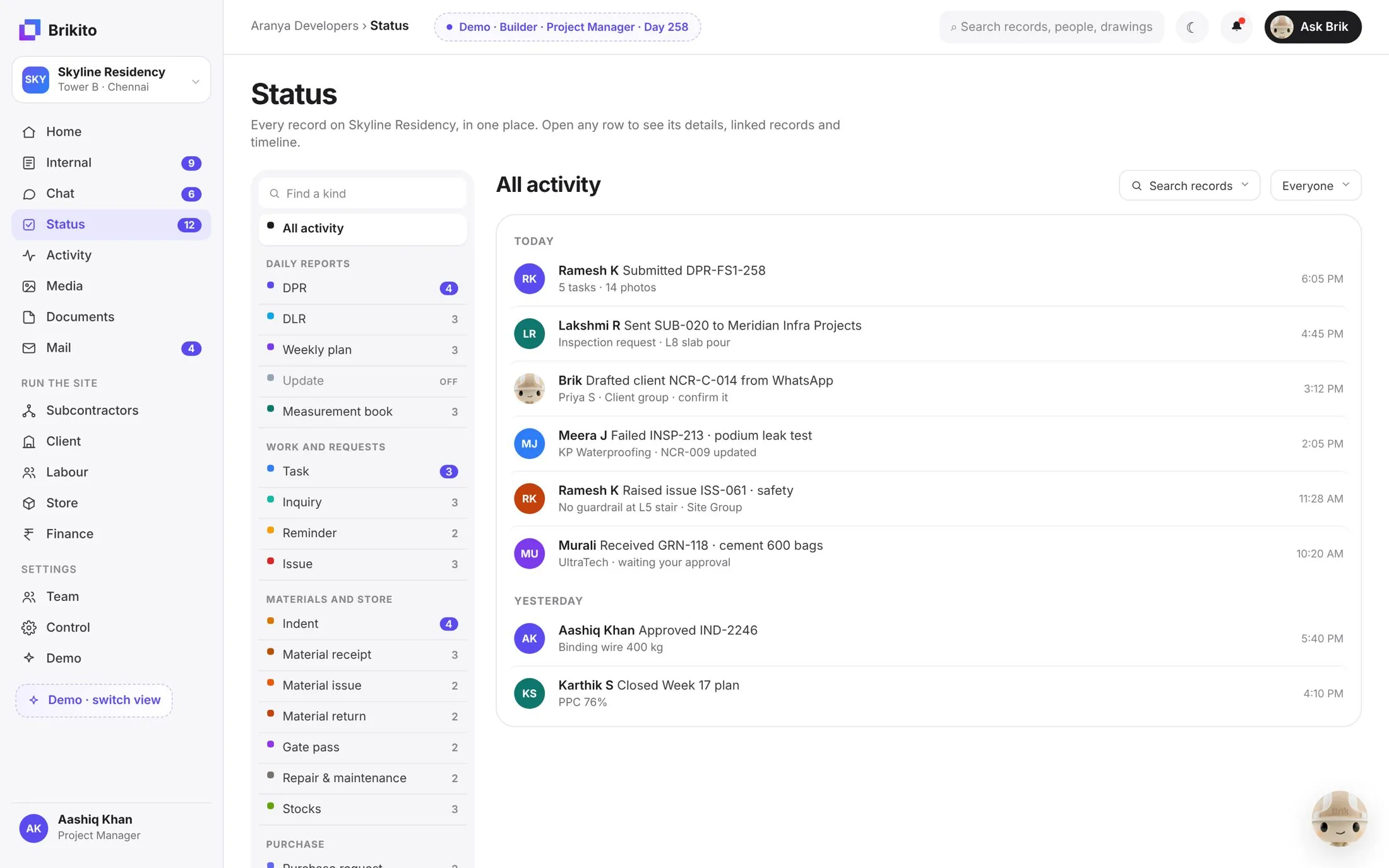
Every record in one list: DPRs, tasks, indents, receipts, NCRs, by type or by person.
What happened on site, as it happened, with Brik’s photo checks.
Every site photo and video, tagged by date, level and activity.
Drawings and documents with the latest revision always tagged.
A project mailbox Brik can read and draft from.
Submittals, bills and one chat for each subcontractor.
Submittals and transmittals to the client, tracked to the reply.
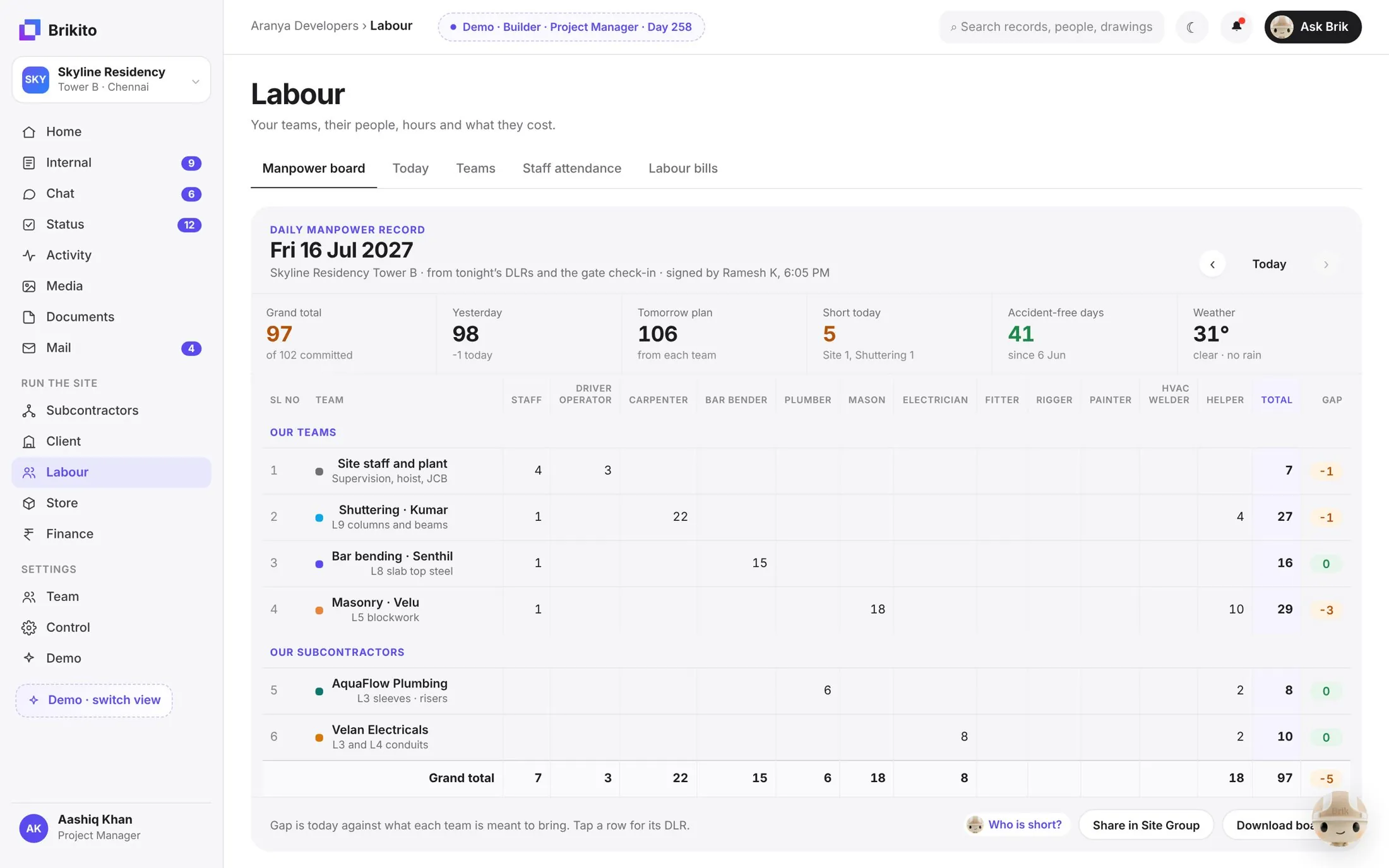
The daily manpower board, attendance and labour bills.
Stock, receipts, issues and indents, reconciled.
Bills, payments and cost against plan.
People, roles, approval rules and project settings.
Chat
The site chat, inside the Console.
Every group, every subcontractor and the client in one inbox. Photos, voice notes and issues land here, and Brik turns them into records.
- Site, indent, purchase, quality and drawing groups
- One chat for each subcontractor
- Issues and NCRs raised straight from a photo
Status
Every record. One list.
DPRs, tasks, indents, receipts, inspections and NCRs, from every person and every chat, filterable in a click.
- Grouped by kind: reports, work, materials, purchase
- Who did what, and when
- Brik’s drafts sit beside your team’s work
Labour
Today’s manpower, signed off.
The daily manpower record builds itself from the DLRs and the gate check-in: every team and subcontractor, trade by trade, against plan.
- Committed vs actual, by team and trade
- Short today and tomorrow’s plan
- Share to the site group in one tap
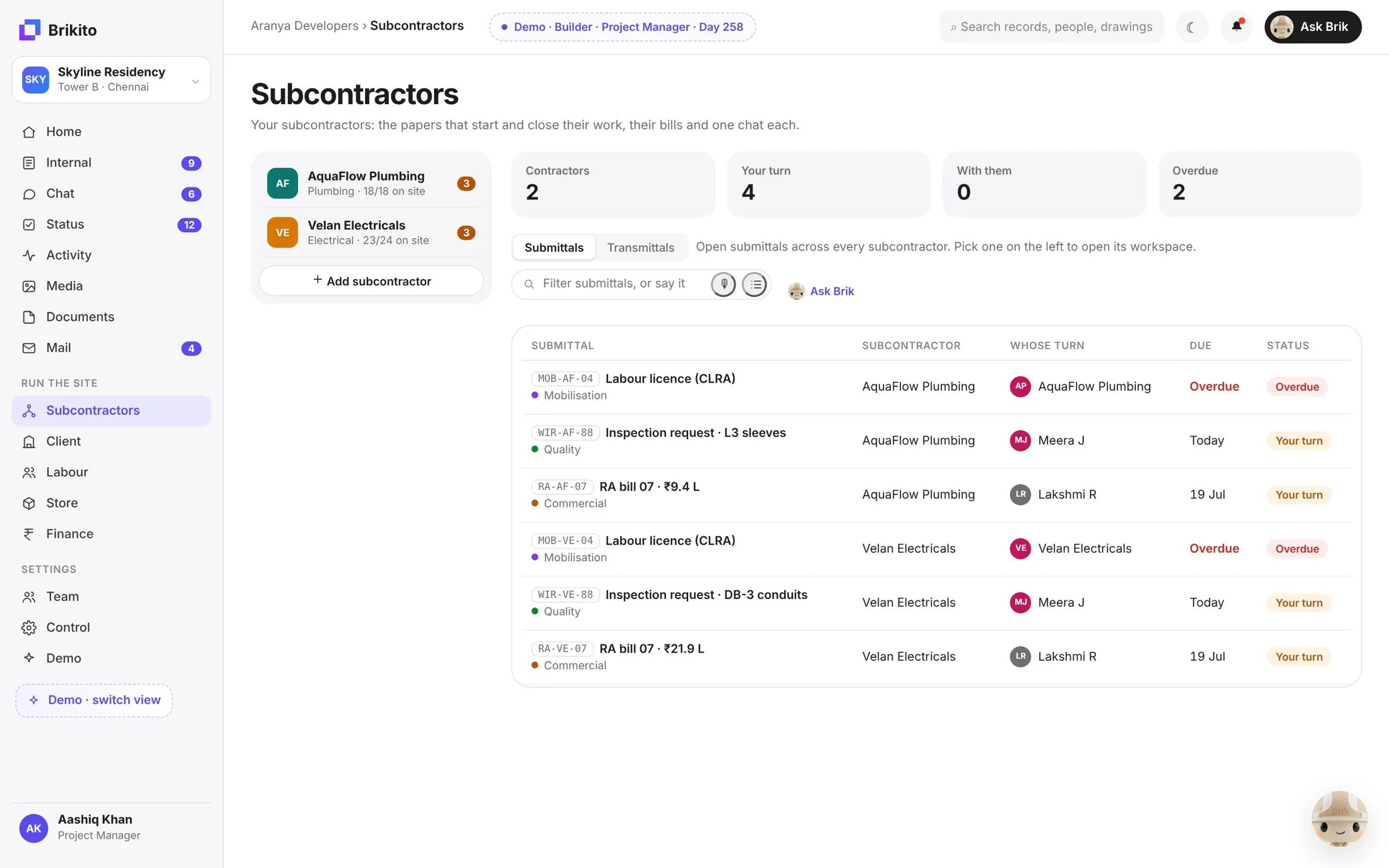
Subcontractors
Every subcontractor, one workspace.
Submittals, transmittals, bills and a dedicated chat for each subcontractor, with whose turn it is and what’s overdue.
- Mobilisation, quality and commercial papers
- Whose turn it is, and since when
- RA bills tracked to approval
One console, every role
Set up for how you work. On every project.
Brik asks a few simple questions when you create a project. The Console then shows what your role on that project needs.
Builder
You do the work with your own team and subcontractors. Labour, store, DPRs and bills come first.
General contractor
You manage package contractors and report to the client. Submittals, transmittals and vendor scores come first.
Client
You own the project. Progress, quality and payments, without chasing anyone.
Web and mobile
The office on the Console. The site on the app.
Managers run the project from the Console on a laptop. Site teams join by phone number and work from the mobile app. Both see the same records, live.
Run every project from one place.
In 45 minutes we set up one live project on the Brikito Console, with your team and your real messages.