
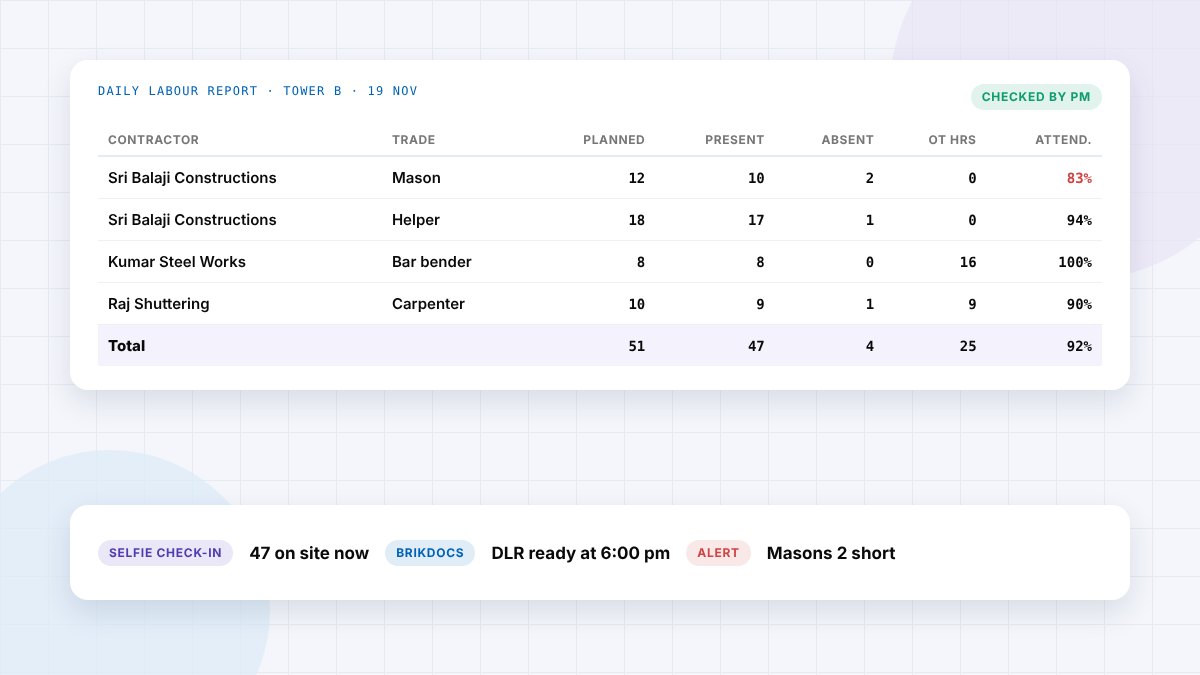
The short answer: A daily labour report (DLR) records how many workers were on a construction site each day, by contractor and trade, with planned against actual headcount, absentees, overtime and where each crew worked. The site engineer or supervisor fills it every day and the project manager checks it. It is the basis for labour bills and productivity checks. A free Excel DLR template is included below.
At month end, the labour contractor's bill arrives. It says 1,560 man-days. The site register is incomplete, nobody remembers which crew worked where on the 12th, and the bill gets negotiated instead of checked. A daily labour report, filled in the same day, ends that argument before it starts.
This guide explains what a DLR is, the fields it should have, a filled example, and the mistakes that make labour reports useless. You can download our free daily labour report template to use from tomorrow.
What is a daily labour report?
A daily labour report, also called a daily manpower report or labour return, is a one-page record of the workforce on site each day. It shows each contractor's crew by trade, how many were planned and how many turned up, overtime worked and the activity and location each crew worked on. It sits alongside the daily progress report (DPR), which records the work done with that labour.
What a daily labour report should include
| Field | Example | Why it matters |
|---|---|---|
| Project, block, date, report number | Tower B, 19 Nov 2026, DLR-087 | One report per site per day, easy to find later |
| Contractor | Sri Balaji Constructions | Labour bills are checked per contractor |
| Trade | Mason, helper, bar bender, carpenter | Productivity and rates differ by trade |
| Planned headcount | 12 | Shows shortfalls against the plan |
| Present | 10 | The number the bill should match |
| Absent | 2 | Calculated: planned minus present |
| Overtime hours | 16 | Overtime is often where bills inflate |
| Activity and location | Blockwork, 6th floor, grid A–D | Links labour cost to work done |
| Remarks | 2 masons shifted to Tower C at 2 pm | Explains anything unusual |
| Prepared and checked by | Site engineer, project manager | Accountability for the numbers |
Sample filled daily labour report
Project: Skyline Residency, Tower B · Date: 19 Nov 2026 · Weather: clear · Hours: 8 am to 6 pm
| Contractor | Trade | Planned | Present | Absent | OT hrs | Activity / location |
|---|---|---|---|---|---|---|
| Sri Balaji Constructions | Mason | 12 | 10 | 2 | 0 | Blockwork, 6th floor, A–D |
| Sri Balaji Constructions | Helper | 18 | 17 | 1 | 0 | Blockwork and material shifting |
| Kumar Steel Works | Bar bender | 8 | 8 | 0 | 16 | 8th floor slab reinforcement |
| Raj Shuttering | Carpenter | 10 | 9 | 1 | 9 | 8th floor slab formwork |
| In-house | Electrician | 3 | 3 | 0 | 0 | Conduiting, 7th floor |
| Total | 51 | 47 | 4 | 25 | Attendance 92% | |
With this report, the PM can see straight away that masonry is running two masons short and that overtime is going to the slab cycle. At month end, each contractor's bill can be checked against 30 signed daily totals.
Download the free daily labour report template
Brikito Daily Labour Report template (Excel)
The fields above, ready to fill. It calculates absentees, attendance % and overtime totals, and has a monthly summary sheet for checking contractor bills. Works in Excel and Google Sheets.
Download the DLR templateWho fills the DLR and when
- Who: the site engineer or supervisor for each area, or the timekeeper on larger sites.
- When: headcount at the morning start, updated after lunch for shifts and movements, closed before the team leaves.
- Who checks it: the project manager, the same evening, alongside the DPR.
- Who else uses it: accounts, to check contractor bills, and the safety officer, to know who was on site.
Common daily labour report mistakes
- Filling it at month end from memory or from the contractor's own figures.
- One total for the whole site, with no split by contractor and trade.
- No activity or location, so labour can't be linked to work done.
- Overtime not recorded daily, then claimed in bulk on the bill.
- Proxy attendance: names marked present for workers who didn't come.
- No sign-off, so nobody owns the numbers.
Our labour management guide covers attendance methods, productivity and reconciling bills in more detail.
Digital daily labour reports in Brikito
In Brikito, workers check in and out with a selfie at the site, so the headcount is live and proxy attendance stops. Days present and hours are calculated automatically, and supervisors can add the activity and location from BrikChat. BrikDocs then produces the DLR, along with the DPR, GRN and stock statement, from what the team has already recorded, with no separate register to fill. See BrikDocs.
Frequently asked questions
What is a daily labour report in construction?
A daily record of the workforce on site, by contractor and trade, showing planned and actual headcount, absentees, overtime and the activity each crew worked on.
What is the difference between a DLR and a DPR?
A DLR records who worked on site. A DPR records the work done that day. They are used together to measure labour productivity.
Who prepares the daily labour report?
Usually the site engineer, supervisor or timekeeper, and the project manager checks it the same day.
Can I make a daily labour report in Excel?
Yes. Use one sheet per day and a monthly summary per contractor. Our free template does both and works in Excel and Google Sheets.
How does a DLR help check labour bills?
Each contractor's monthly bill should match the sum of the signed daily headcounts and overtime for that month. Any difference can be traced to a specific day.
Count today, not at month end
A daily labour report takes ten minutes when it's filled the same day, and saves hours of arguments over every bill. Split it by contractor and trade, tie each crew to an activity, and sign it off every evening.